 Munshi
The simplest business expense tracker for Pakistan is a cash book app you use every day. To track business expenses, record every expense on the day it happens, give it a category such as Rent, Electricity or Salaries, and review your totals by category every week. A simple cash book app does this for you in a few taps, in Urdu or English, even offline. Below is how to set it up and what to look at once the numbers are in.
Why track expenses every day?
Most owners know roughly what they sell. Far fewer know what they spend. Small, forgotten costs (tea, transport, a repair, a bill) add up quietly, and without them your idea of profit is too high. A daily habit makes the real number visible.
Cash Book and expenses: what is the difference?
- The Cash Book is a running record of cash in and cash out, with a balance that should match the cash in your drawer.
- Expenses tell you what the money was spent on, in categories you can rename.
Use both. The Cash Book keeps the drawer honest. The expense categories show where to cut.
How to set up expense tracking in Munshi
- Add categories. Open Expenses and add the categories you need: Rent, Utilities, Salaries, Transport, Stock, Repairs. You can rename or delete categories later.
- Record an expense. Add an entry with the amount, the category and an optional note or photo of the receipt.
- Record daily cash. In the Cash Book add cash in (for example sales) and cash out. Add a category while recording if you like.
- Check the total. Home shows Expenses this month at a glance.
- Open Reports. Tap Reports, choose the dates, and open the Expense report (by category), the Cash Book report or Profit & Loss.
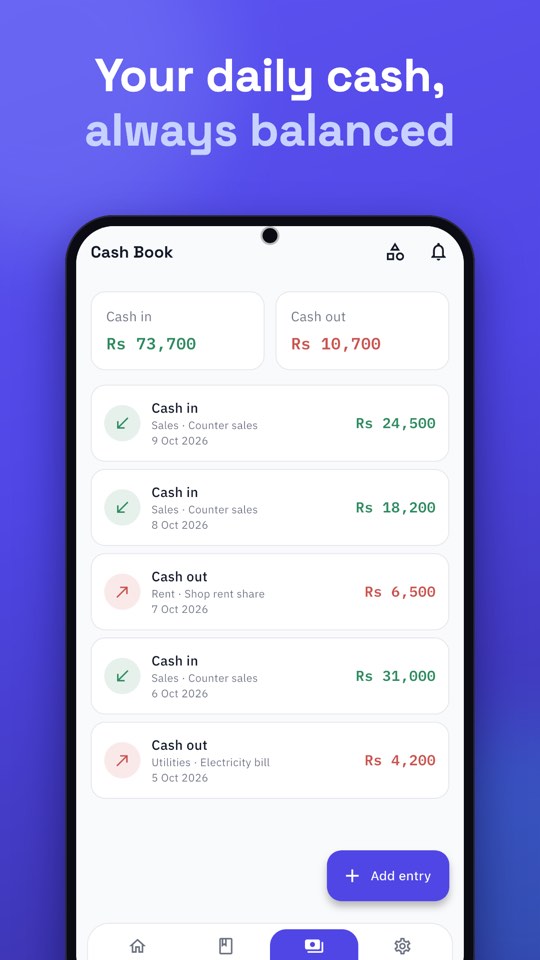
A daily expense routine (five minutes)
- Record expenses when they happen, or at the latest at closing.
- Count the cash in the drawer and compare it with the Cash Book balance.
- If they differ, find the difference today, while you remember.
If your daily expense app works in Urdu, even helpers who prefer Urdu can record entries correctly. In Munshi, go to Settings → Language to switch.
What to look at each week and month
- Top three categories. These are where most of your money goes. Small percentage savings here matter most.
- Anything growing. A category that rises month after month needs a look.
- Profit estimate. Use the Profit & Loss report for any dates, but remember it is only as good as the entries behind it.
Which expense categories should a small business use?
Start with five to eight categories and add more only when you need them. A common starting list for a shop is:
- Rent and Utilities (electricity, gas, internet)
- Salaries and helper wages
- Transport and delivery
- Stock purchases, if you do not track them elsewhere
- Repairs and maintenance
- Phone and internet
- Miscellaneous, kept small. If this grows, split it into real categories.
Too many categories make entry slow; too few hide the answer. If a category holds many entries and you cannot tell what is inside, split it.
Common mistakes when tracking expenses
- Recording only big costs. Small daily costs are often the largest total.
- Mixing stock and expenses. Decide once how you treat stock and stay consistent.
- Waiting until the weekend. Memory fades fast. Record the same day.
- Never looking at the report. The point is to read it. Set a weekly reminder to open Reports.
Keep household money out
Taking cash for the household is perfectly normal. Not writing it down is the problem. Record it under its own category, or keep a separate business for personal spending, so your profit is honest. If you run more than one business, see how to manage multiple businesses in one app.
Share it with your accountant
Expense and Cash Book reports can be shared as PDF or Excel. The steps, and what is free, are in how to create statements and reports in Urdu. For general habits that keep your records accurate, read seven small habits of a khata that always balances.