 Munshi
More than one business
Run a shop and a side business, or two branches. Switch from the name at the top of Home. Their books never mix.
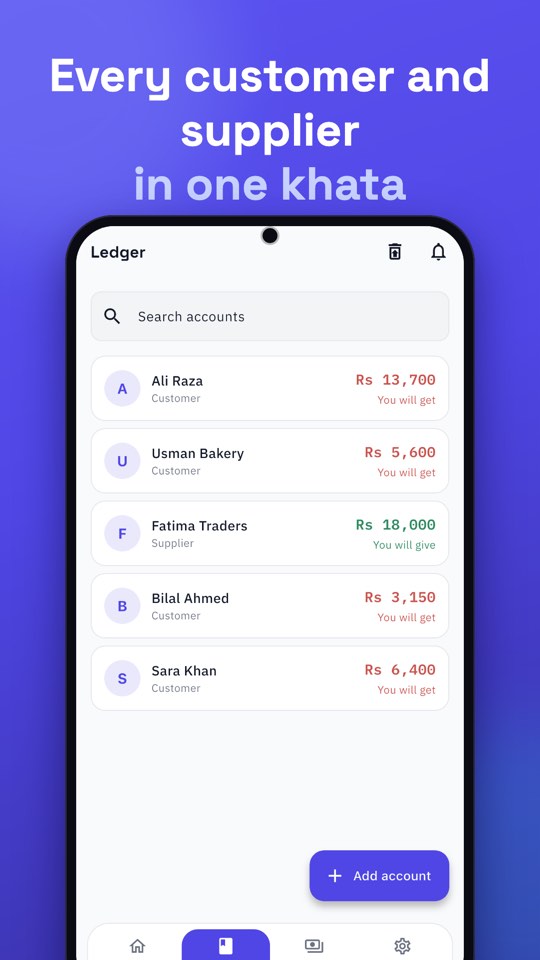
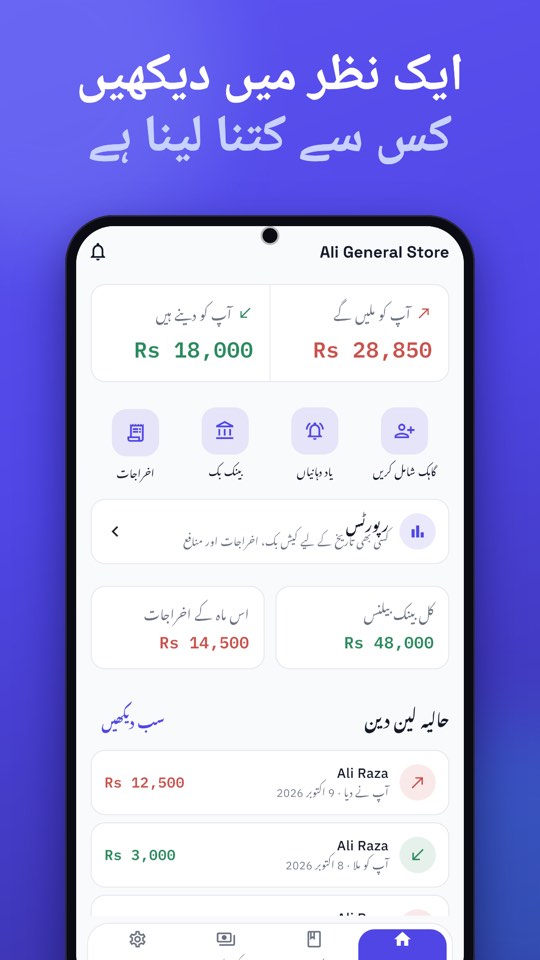
Munshi keeps customer credit, payments, cash, bank and expenses in one place. See who owes you at a glance, in English or Urdu, even without internet.
Free on Android and iPhone · Paid for by a few ads, never by your data
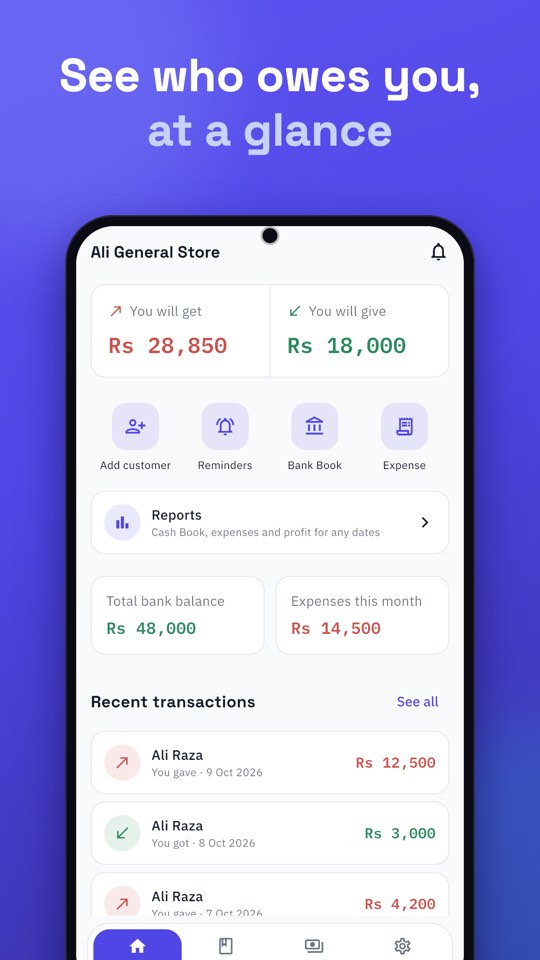
No accounting jargon. Just the few things a small business does every day, done well.
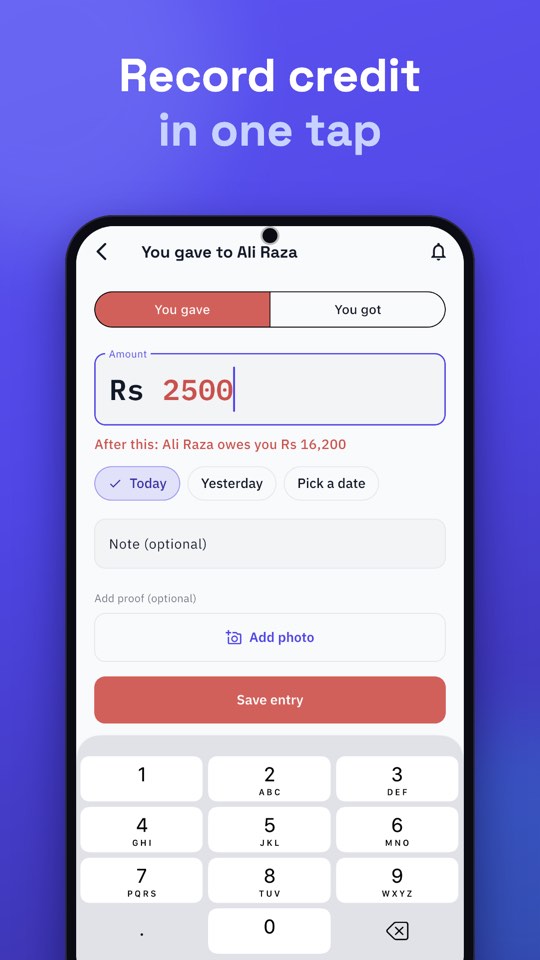
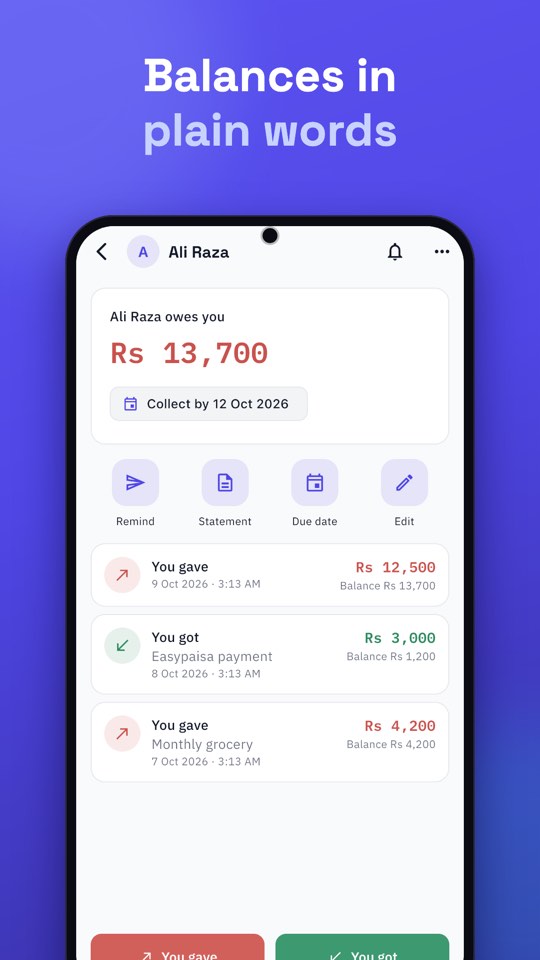
Tap You gave or You got. Every balance reads like a sentence, such as “Ali owes you Rs 3,500”.
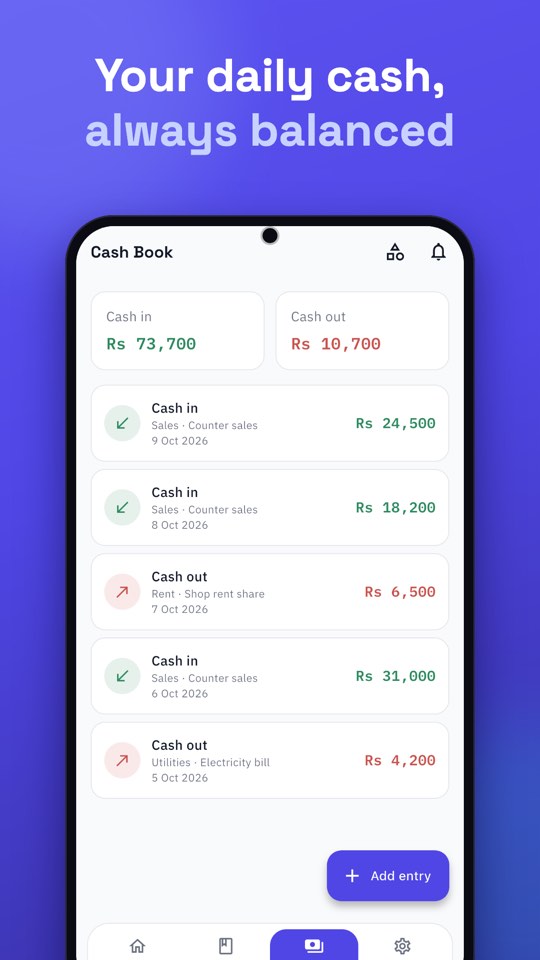
A Cash Book that balances, a bank book for every account and expense categories you can rename.
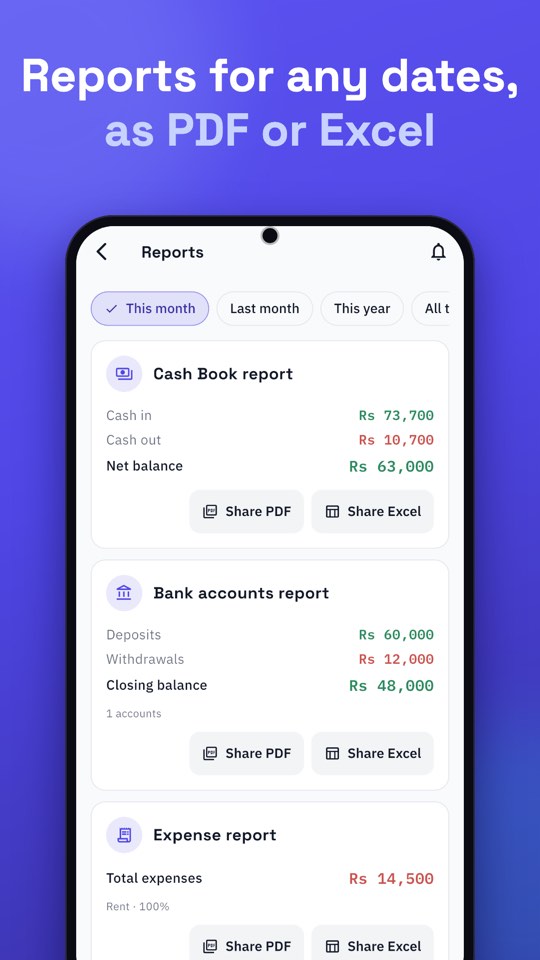
Pick this month, last month, this year or your own dates, and send the result as a PDF or an Excel file.
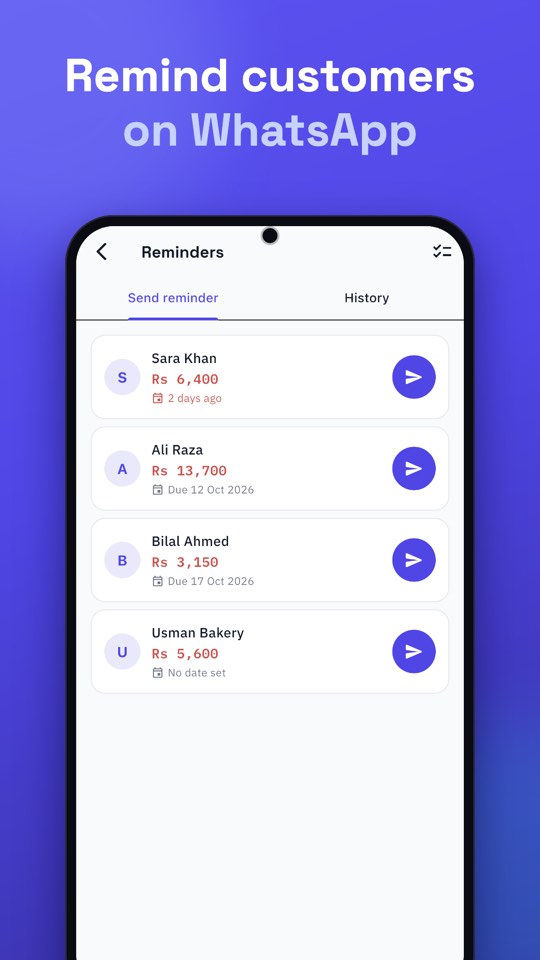
Munshi opens WhatsApp with a message ready to go. You check it and press Send yourself. Nothing is ever sent for you.
Run a shop and a side business, or two branches. Switch from the name at the top of Home. Their books never mix.
A PIN that waits after wrong tries and hides the app in the app switcher. Fingerprint or Face ID unlock is optional.
Back up to your phone every day, and to your own Google Drive. Sign in on a new phone and your records come with you.
Deleted a ledger, cash, bank or expense entry by mistake? Restore it within 14 days.
Share statements and reports in the format your accountant, bank or customer asks for.
Ready-written WhatsApp messages and collection dates, so you never have to remember who to chase.
Bring customers and balances from an Excel or CSV file and choose which business they go into. See everything before it is added, and Undo if needed.
Keep money you lend or borrow yourself apart from your business. Tap your business name on Home, then Add Personal.
Choose your fingerprint, Face ID or a 6-digit PIN after signing in, so next time no SMS code is needed. The code is still there whenever you need it.
Switch the whole app, including the statements and reminders you share. Urdu runs right to left, the way it should.
All you need is your phone number.
We text you a 6-digit code. There is no password to remember.
Enter a name and what they owe you. That’s the whole setup.
Tap You gave when you give credit and You got when you’re paid.
Other khata apps charge for working offline, using more than one phone or backing up to Drive. In Munshi they’re free, because a few ads pay for the servers and for building, updating and supporting the app.
Ads cover the cloud servers that keep your khata safe and synced, and let us keep improving Munshi and answering your questions.
Offline use, many phones, Drive backup, reminders, reports and App Lock are free. Longer reports and Excel files open after a short ad.
Ads are marked “Ad” and never appear while you add an entry, sign in, unlock the app or send a reminder. Your customers’ details are never shared.
Munshi is updated often, and every change is written down in plain words.
A sample khata to try before you sign up, and your first customers added with their old balance.
Importing now asks where it should go: one of your businesses, or a new one.
If a balance does not match the entries under it, Munshi now tells you on that account and on Home, and "Correct" fixes it.
Keep money you lend or borrow yourself apart from your business.
Keep one account per customer, record every credit and every payment when it happens, and read the running balance instead of adding up a notebook. That is what a khata is for. In Munshi, add the customer, then tap You gave when you give credit and You got when you are paid. The balance reads in plain words, such as “Ali owes you Rs 3,500”. The same books also keep supplier credit, a cash book, bank accounts and expenses.
The best free khata app works offline, supports your language, records credit in one tap, backs up your records, and does not lock the ledger behind a subscription. Try two or three with real customers before you move the whole register. Munshi is one free option on Android and iPhone. A few small ads, marked “Ad”, pay for the servers, so it is not ad-free. Offline use, Google Drive backup, reminders and reports are included.
Write a short, polite message that states the amount, and send it yourself, ideally the day before the date you agreed. Nothing is sent until you press Send. In Munshi, open Reminders, choose the customer or supplier, and tap Send reminder. WhatsApp opens with the name, your business and the amount already filled in. You read it and press Send. Nothing is sent automatically. If no phone number is saved, WhatsApp lets you pick the chat. You can also set one collection date for several customers.
Check three things: you can lock the app, you can back the records up yourself, and the privacy policy says customer names, phone numbers and amounts are not shared with advertisers. Munshi does those. App Lock is a PIN, with optional fingerprint or Face ID. Entries save on the phone and sync when you are back online, and you can keep a backup file in your own Google Drive. Customer names, numbers and amounts are never shared with advertisers. The full detail is in the Privacy Policy.
Yes, if the app saves entries on the phone. Turn on airplane mode, add a customer and an amount, and confirm the entry is still there. Munshi works that way. Entries save on your phone straight away and sync when you are back online. Photos and voice notes are sent later. There is no subscription; a few small ads pay for the servers.
Shop credit and stock are different jobs. A khata tracks who owes you and whom you owe. Stock software tracks items, quantities and reorder levels. Munshi tracks customer and supplier credit, a cash book, bank accounts and expenses. It does not manage stock or inventory, and it does not create invoices or scan barcodes.
Yes. It is free to download, and there is no subscription. A few small ads, marked “Ad”, pay for the servers. Offline use, more than one phone, Google Drive backup, reminders and reports stay free. Ads never appear while you add an entry, sign in, unlock the app or send a reminder.
Sign in with the same phone number on any device and your ledger, cash book, bank book and expenses sync back from the cloud. If you connected Google Drive, you also have a backup file in your own Drive.
Yes. Munshi runs on Android and iPhone and works fully in Urdu and English, with right-to-left layout, Urdu reminders and Urdu statements.
Yes, up to 5 on one account. Each has its own customers, Cash Book, bank accounts, expenses, Recycle bin and backups.
Munshi is a khata (ledger) app for Android and iPhone, made by DIGIT (digit.com.pk). On your phone the app is named Munshi. On the App Store it is listed as Munshi Khata App. It records customer and supplier credit, a cash book, bank accounts and expenses, in English and Urdu. It is free to download and ad-supported. A WhatsApp reminder opens already written, and you press Send yourself.
No. Munshi is the khata app published by DIGIT (digit.com.pk). On Google Play the package name is pk.digit.munshikhata, and on the App Store it is listed as Munshi Khata App. Apna Munshi, and other apps whose names include Munshi (such as “Munshi – Ledger”), are different products from different makers. Before you download, check that the developer is DIGIT and the website is munshi.com.pk.
Free on Android and iPhone. Sign in with your number and your records come with you, on any phone.