 Munshi
To move from a paper khata to a digital ledger, pick a start date, enter each customer’s current balance in the app once, record new entries in the app from then on, and run paper and app side by side for a week before retiring the register. You do not need to retype years of history. The “bahi khata” served you well; this plan simply moves its balances somewhere safer and easier to total.
Why move from a paper bahi khata to a digital ledger?
- Nothing gets lost. Paper tears, gets wet and goes missing. A backed-up app does not.
- Totals are automatic. No more adding columns by hand or guessing what is outstanding.
- Disputes get shorter. Every entry has a date, an amount and an optional note or photo.
- More than one person can see it. A family member can help with the shop on another phone, using the same account.
- Reminders and statements are one tap. Share a clean statement in Urdu on WhatsApp.
The honest trade-off: a phone needs charging and a habit of recording. That is why an app that works offline and records in one tap matters.
A five-step plan to switch
- Pick a start date. A clean day such as the 1st of the month makes comparison easy.
- List your customers and their current balances. Go through the paper khata and write down each person who owes you, or whom you owe, with the amount today. Skip settled accounts.
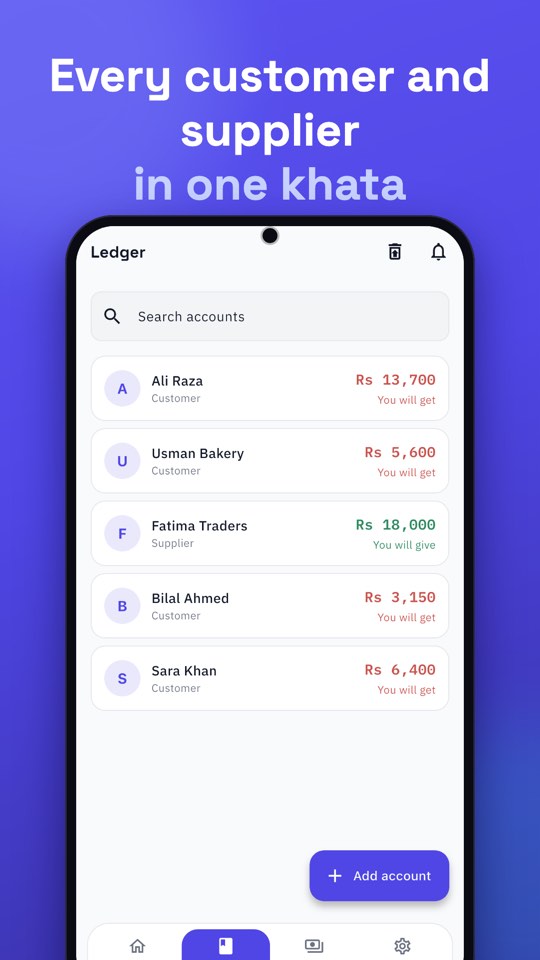
- Enter opening balances once. In Munshi, tap Add customer with a name and number, then record the balance as You gave (they owe you) or You got (you owe them). Munshi reads the result in plain words, like “Ali owes you Rs 3,500”.
- Run both for a week. Record every new sale in the app and on paper. At closing, check that the totals match. Fix any difference while it is still small.
- Retire the paper register. Keep it somewhere safe as your archive. From now on the app is your book.
What to look for in a digital ledger for a small business in Pakistan
A digital ledger should fit how you already work. That means offline entry (so a power cut does not stop a sale), Urdu (including statements), one-tap credit and payment, a Cash Book next to the customer khata, and backups. And it should be free to use, because thin margins do not leave room for a monthly fee. See the full checklist in the best free khata app in Pakistan: what to look for.
Keep your old register
You do not need to throw away the paper khata. Keep it as the archive for history that is already settled. If a customer disputes something from last year, you still have it. Going forward, the app holds the living record.
Common worries, answered
“What if my phone breaks or is lost?”
Your records are stored in the cloud and tied to your phone number. Sign in with the same number on a new phone and they sync back. Munshi also saves a daily copy on the phone, and you can connect Google Drive for another. See how to back up business records on Google Drive.
“What if the internet is down?”
Munshi saves entries on the phone straight away and syncs when the connection returns.
“What if someone else picks up my phone?”
Turn on App Lock in Settings. A PIN is then needed to open Munshi, and fingerprint or Face ID unlock is optional.
“I have a lot of customers. Can I import them?”
Importing customers from an Excel or CSV sheet is in testing and will arrive in an update. Until then, adding them directly takes a few seconds each, and most shops start with the people who owe them the most.
Next steps
Once your balances are in, the real benefit starts: managing udhaar digitally and sending reminders on WhatsApp.